Method
How to read a vendor comparison page without being steered
To read a vendor comparison page, ask who wrote it and what they sell, who picked the rows, and whether each fact has a source and a date. Search for a WMS comparison and you will find tables with green ticks and red crosses. Some are useful. Many are sales pages dressed as research. You can tell them apart if you know where to look.
Who wrote it, and what do they sell?
Start here, before reading a single row. A comparison written by a vendor will favor that vendor. That is not a crime, it is the expected result. A comparison written by a review site that earns referral fees will favor products that pay. A comparison written by an agency will favor the products it resells.
Look for a plain statement of the author's interest. If you have to dig for it, treat the page as marketing and read it that way.
Who picked the rows?
The most powerful lever in any comparison table is the choice of rows, more than the ticks themselves.
A hypothetical example: a vendor whose strength is mobile scanning builds a table with eleven rows about scanning and one about reporting. A vendor whose strength is reporting does the reverse. Both tables are "accurate". Neither tells you what you need.
Ask: are the rows things you care about? Is anything you would ask about missing? Rows that never appear, like export, support response and cost at growth, usually matter most.
Does each fact have a source and a date?
Software changes monthly. A fact without a date is a fact of unknown age.
- Is there a link to the public page the claim came from?
- Is there a date next to it?
- Does the page say when the table was last checked, and by whom?
- Is there a way to report an error?
Sources that point to the author's own marketing do not count as independent. Sources that point to the product's own help pages are better, because they describe what the product is stated to do.
A ten point pass or fail test
Give one point for each "yes". Pages scoring low are not necessarily lying. They are just not safe to use alone.
- The author says who they are and what they sell.
- The page says when it was last checked.
- Each product claim names a public source.
- The rows match questions a buyer would ask.
- Weaknesses of the author's own product appear somewhere.
- Wording is the same for every product (not "robust" for one and "basic" for another).
- No row is a vague adjective with a tick next to it.
- Prices are shown with a date and a basis, or the page says none were available.
- There is a way to contact the author with a correction.
- The conclusion says who each product suits, rather than one winner for everyone.
Seven or more is decent. Four or fewer means treat it as an advertisement.
Words that signal marketing
You do not need to catch every one. A few are enough to change how you read.
- "Best in class", "industry leading", "seamless", "powerful", "robust"
- "Unlimited" with no note on what is limited
- "Easy to use" with no task attached
- "Enterprise grade" used for anything
- "Contact us for pricing" shown as a feature
Concrete wording looks different: "Prints shipping labels for the carriers listed on this page." You can check it. You can also disprove it.
Check the shape of the table
- All ticks for one column. Real products have gaps. A column with no gaps means the rows were chosen to flatter it.
- Ticks that hide degrees. "Reporting: yes" for one product might mean fifty reports and for another one export. Ask for the detail.
- Missing competitors. Which obvious rivals are left out? Why?
- Everything is a feature. Ask which rows are things you would use in your first month.
Check the date arithmetic
If the page says it was verified on a date, and mentions a product update from after that date, something is off. If a page lists a pricing tier, find the vendor's own page and see if it matches. A mismatch does not prove bad faith, but it tells you the table is stale.
What to do after you have read one
Do not use any comparison page to pick a product. Use it to build your question list. Take the rows that matter, turn them into questions, and put those questions to each vendor in writing, with the same wording.
Then check the answers against a live trial. A comparison page can narrow the field. Only your own data and your own staff can finish the job.
Reading screenshots and demos
Comparison pages often include screenshots. A screenshot shows one moment with tidy data. It does not show speed, error messages or what happens when the user does the wrong thing. Treat a screenshot as an illustration, never as evidence of behavior.
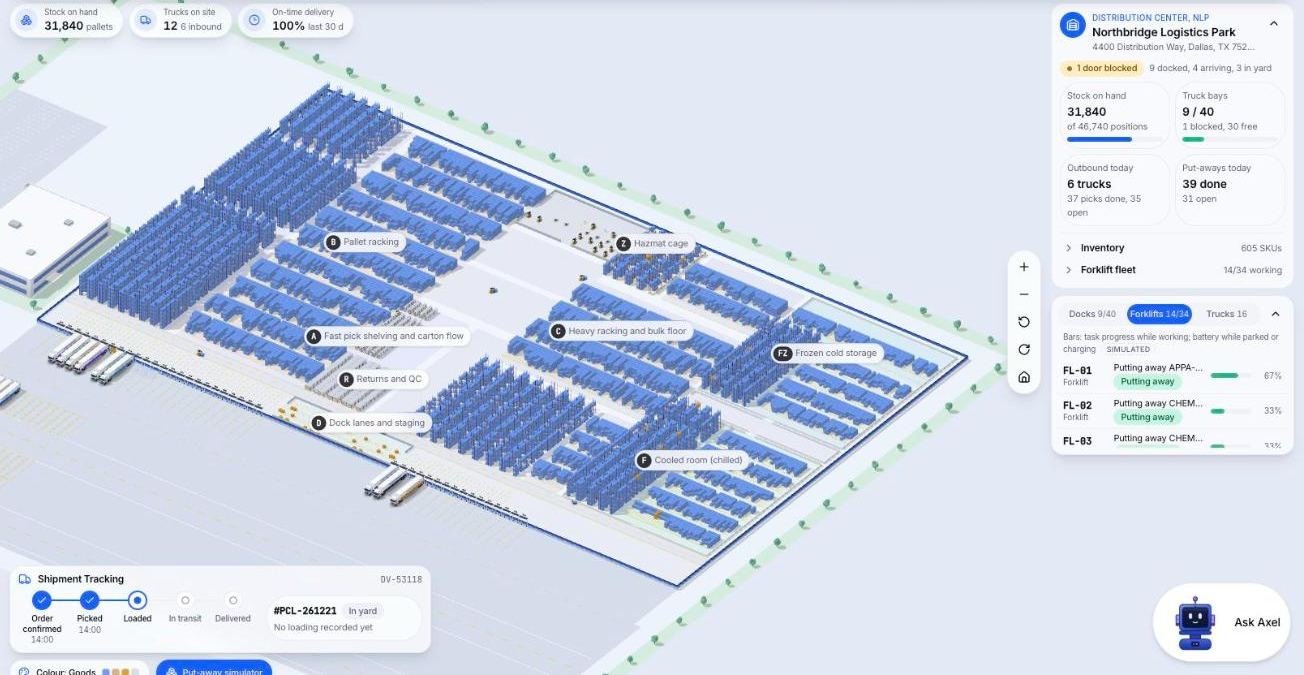
As an example, this equipment tracking screen comes from the Microsive demo platform and uses demo data. It shows tidy values at one moment and says nothing about how a product behaves when something goes wrong.
The same goes for a demo you watch rather than operate. Ask to see the product handle one awkward case from your own business, such as a return with no paperwork, and watch how many steps it takes.
Hold every comparison page you read, this one included, to the ten points above.
Questions people ask
Can I trust a comparison page written by a software vendor?
Treat it as a source of questions, not a verdict. A vendor favors its own product, so check that the author says what they sell, who chose the rows, and that each fact has a public source and a date. Seven or more on the ten point test is decent, and four or fewer means treat the page as an advertisement.
How do I spot a biased comparison page?
Check whether the author states what they sell, who chose the rows, whether each fact has a public source and a date, and whether one column has no gaps, which suggests the rows were chosen to flatter it.
What is the ten point test?
One point for each yes on questions such as: the author says what they sell, the page says when it was last checked, each claim names a public source, and the conclusion says who each product suits.
Should I use a comparison page to pick a product?
No. Use it to build your question list, put the questions to each vendor in writing, then check the answers in a live trial.
What do screenshots and demos prove?
A screenshot shows one moment with tidy data, not speed, error messages or what happens when the user does the wrong thing. Ask to see the product handle one awkward case from your own business.
Sources
- No third-party product facts or named pages are used here. The test is our own method.